Create and send support codes
Support codes provide a temporary way to disable safeguards and other restrictive features of Keep Aware for a specific device. This is useful for troubleshooting, IT support sessions, or situations where security controls need to be temporarily bypassed.
What is a support code?
A support code is a device-specific, time-limited code that temporarily disables restrictive actions enforced by Keep Aware policies. When a support code is active:
- Monitoring continues — All browser activity is still logged and recorded
- Restrictive actions are bypassed — Policies that would normally block, pause, or restrict user actions are bypassed
- Bypass is logged — Any policy that would have triggered a restrictive action is logged with a bypass reason of
support_code
Support codes are generated on a per-device basis. Once generated, the code works offline — the browser does not need to be connected to the internet to enter support mode with a valid code.
Support codes require a managed installation with the Keep Aware device client running. They are not available for browser-only deployments without the device client.
Enabling support codes
Support codes are an opt-in feature. To enable them:
- Navigate to Settings in the Keep Aware console
- Go to the Capabilities tab
- Scroll down to the Support Settings section
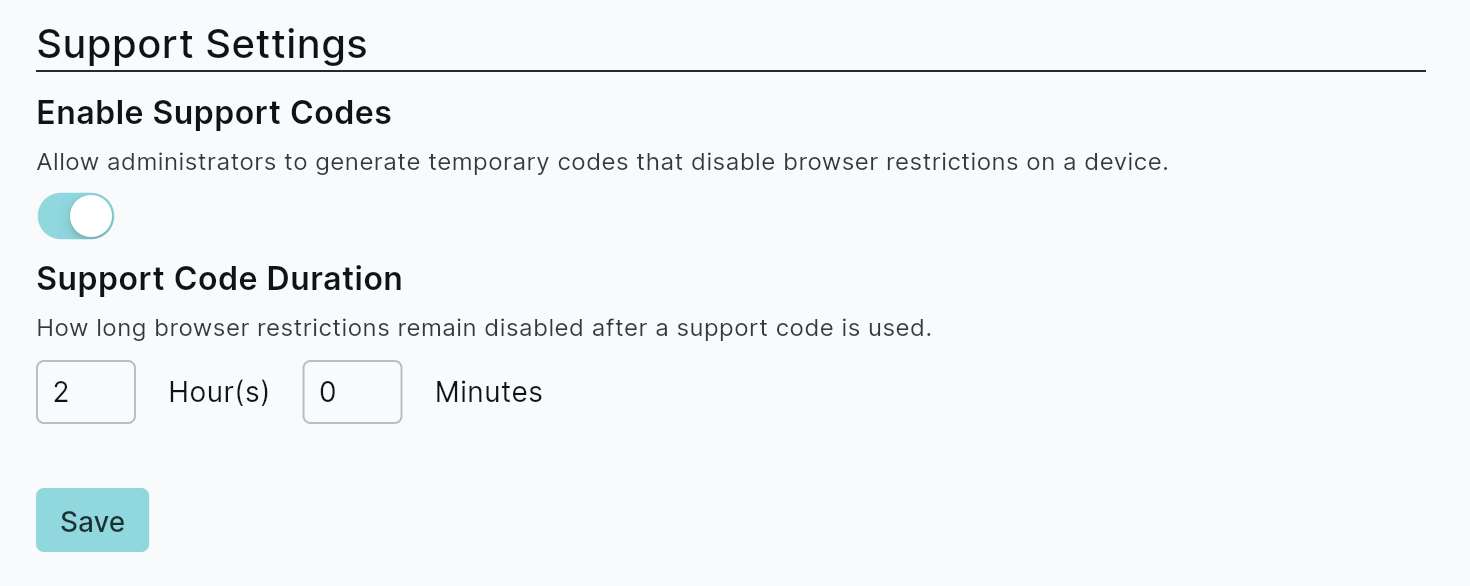
- Toggle Enable Support Codes to on
- Set the Support Mode Duration — this controls how long restrictive safeguards are disabled after a code is entered
All support codes are valid for 1 hour from generation. The duration setting controls how long the browser remains in support mode after the code is successfully entered.
Generating a support code
Once support codes are enabled, you can generate codes for individual devices:
- Navigate to the Devices page
- Find the employee's device in the device list
- Click the device row to open the side panel
- Scroll to the Support Code section at the bottom of the panel
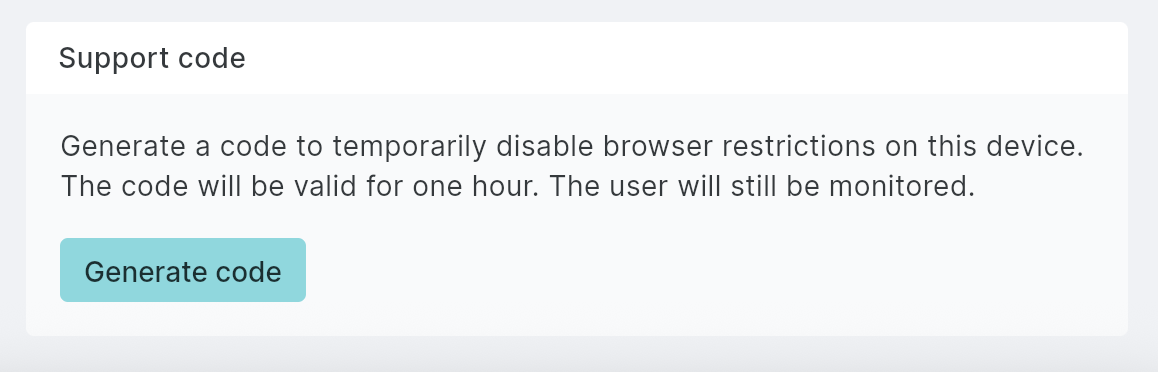
- Click Generate Code to create a new support code
- Share the code with the user or support technician
The generated code will display. Provide this code to the user so they can enter it in their browser to temporarily disable restrictive safeguards.
Entering a support code
Once the user has received a support code, they need to enter it through the Keep Aware extension popup:
- Click the extensions icon (puzzle piece) in the top right of the browser
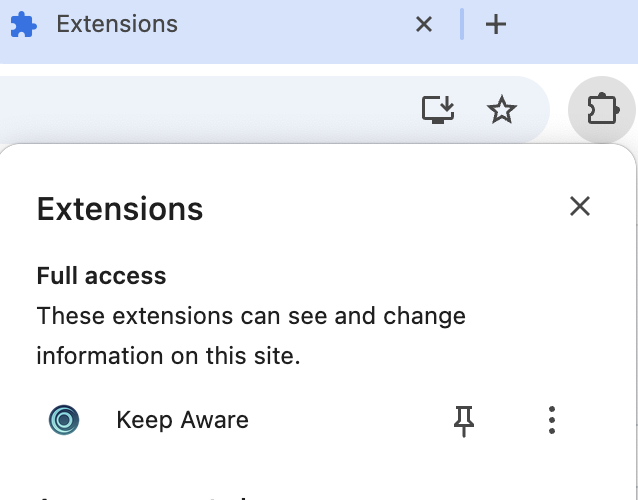
- Click Keep Aware from the extensions list
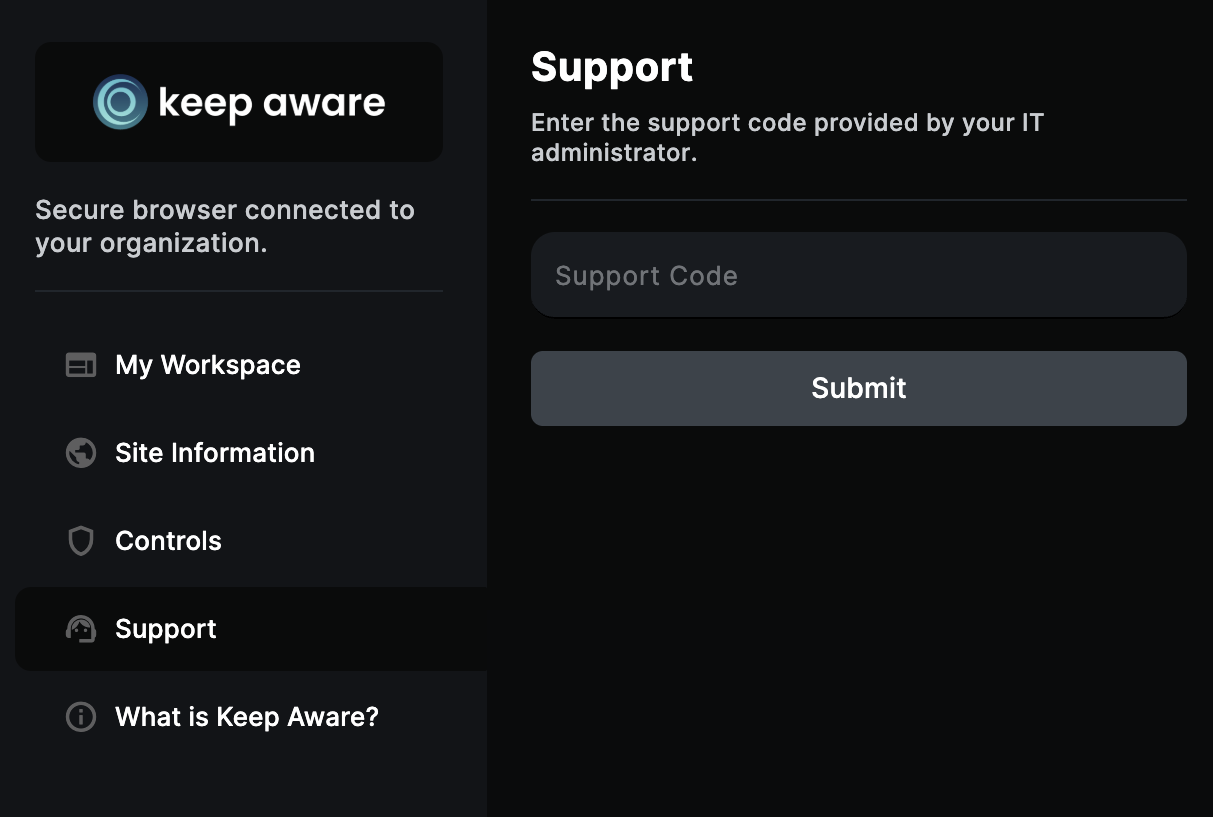
- When the popup appears, click the Support tab
- Enter the generated support code
Audit logging
When an admin generates a support code, an audit log entry is automatically created with the event name generated_support_code. The audit log captures:
- Device ID — The unique identifier of the device the code was generated for
- Device hostname — The hostname of the target device
- Admin user — The console user who generated the support code
This ensures full traceability of support code usage across your organization, allowing security teams to review who generated codes, for which devices, and when.
Best practices
- Use sparingly — Support codes should be reserved for legitimate support scenarios, not routine bypasses
- Communicate clearly — When providing a code to a user, explain that monitoring remains active and only restrictive actions are bypassed